
Products & Pricing -> TaskAnyone + Checklist Combo
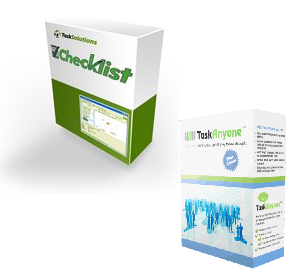
Checklist & TaskAnyone
Checklist can either be used by itself as a stand-alone product, or it can be used together with TaskAnyone. When used by itself, Checklist stores tasks in files on your local computer. When used together with TaskAnyone, it lets you access your TaskAnyone tasks directly as an alternative to using a web browser.How Checklist improves the TaskAnyone experience
When TaskAnyone clients choose to access their tasks through Checklist they get the following useful features:- You can access your tasks with a single click on the Checklist icon in your system tray.
- Your tasks in Checklist update every 30 seconds, no need to hit the refresh button on your browser.
- If someone updates, completes or deletes a task you have sent them you are alerted with a little popup window--just like an instant messenger.
- If someone sends you a new task you also receive alerts.
- You can enter tasks in very quickly, without waiting for web pages to refresh. All changes that you make are buffered so there is never any wait time associated with an action.
- You can type in task titles into the main Checklist screen very quickly.
- In Checklist you can cut and paste tasks for quick and easy replication.
- Checklist has a better printing function for task lists than a browser does.
- In Checklist you can use a counter to automatically track the amount of time you spend working on a task.
Upgrading from stand-alone Checklist
Alternatively when existing Checklist clients decide to signup for TaskAnyone and use the products together they get access the following new functionality:- Assign tasks to other people.
- Share folders with other TaskAnyone users.
- Store your tasks on a secure hosted server instead of your local hard drive.
- Access your tasks from either Checklist or a web browser, from any computer anywhere in the world.
How to get started
To get started just download Checklist and use it create a new TaskAnyone account (or login to an existing account if you already have one).